


Sekai: Create · Remix · Play
4.62.52K Reviews
App Specs
- Version
- 2.2.17
- Updated On
- License
- Free
- Downloads
- 5,000,000+
- Developer
- Sekai
- Categories
- Entertainment
- Platform
- Android, iOS
Screenshots
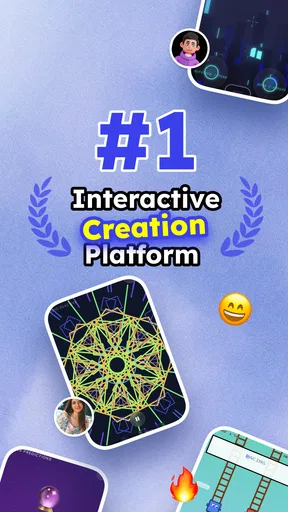
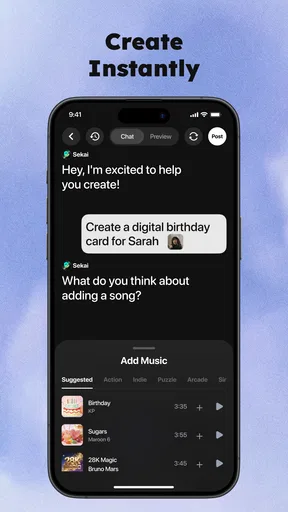
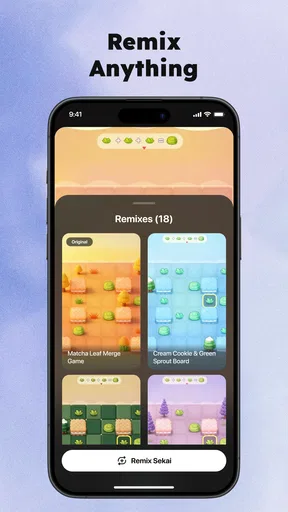
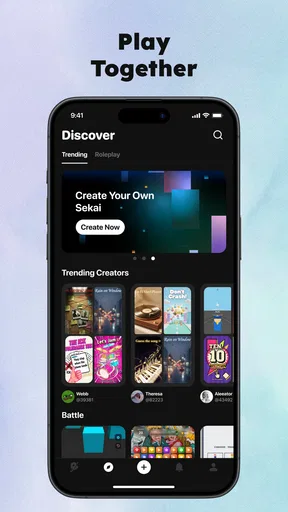
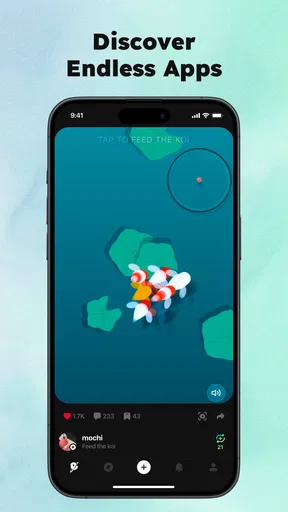
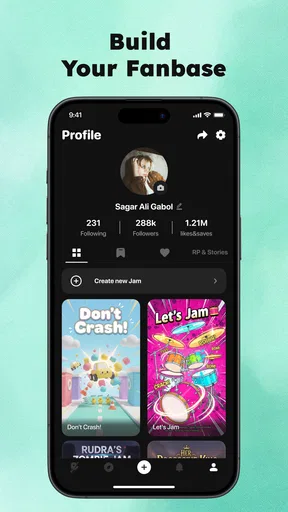
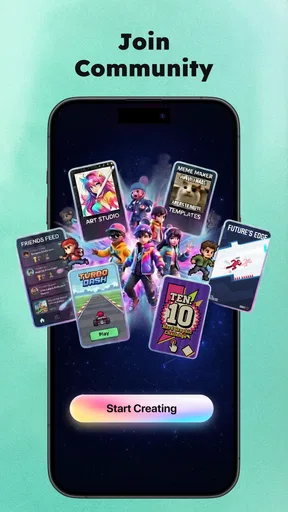
 Analysis by AppCompare
Sekai is most appealing when you want to turn a passing idea into a small, playable experience rather than settle for another quiz or game someone else designed. I found the promise compelling: make something interactive, try it, and share the fun with friends. That creative loop gives this entertainment app a different feel from a standard collection of ready-made games. The trade-off is that making a good experience still takes a little thought. “No coding” removes a technical barrier, but it does not mean every idea becomes polished automatically.
When a quick idea needs a little structure
That distinction matters if you are deciding whether to open the app during a spare moment or save it for a planned activity. I would treat it as a lightweight creative workshop, not an instant source of finished entertainment: the reward comes from shaping a prompt or theme into something another person can follow. A few minutes of planning can make the result feel far more intentional than simply entering the first idea that comes to mind.
For instance, if I had ten minutes before friends arrived, I would not try to build a large game. I would choose one familiar topic, write a handful of clear prompts, and make sure the activity has an obvious stopping point. That approach makes the time investment manageable and gives me a finished piece I can actually use, rather than a half-formed project I keep meaning to revisit.
Where Sekai’s creative approach shines
Sekai is an entertainment app from Sekai, built around creating interactive games, quizzes, and mini apps. Its strongest idea is that creation and play belong together: you can approach it as a player looking for something fresh, or as a maker who wants to shape a simple activity around a particular group or occasion. That flexibility is more interesting than a single-purpose quiz app, especially if you enjoy experimenting with formats.
The creative angle also changes how I would use it. Instead of opening the app only when I have time to play, I can imagine starting with a question—what would make a good five-minute challenge for my friends?—and building outward from there. A themed quiz, a quick guessing game, or a tiny interactive idea can give a group something to respond to without needing a full game night or a complicated setup.
One useful way to get better results is to begin with a narrow brief. Pick one audience, one subject, and one clear goal before you start creating. “A short quiz for friends who know our trip” is easier to shape than “make something funny.” This is a practical advantage of the app’s format: small projects let you test an idea without committing to a large game, and the result is easier for other people to understand at a glance.
Another good workflow is to create for a real moment instead of trying to invent a universally appealing game. For example, if a group is waiting for food, a compact quiz with questions about shared interests can give everyone an easy way in. If you are planning a casual gathering, a custom mini experience can feel more personal than opening a generic trivia app. The point is not that Sekai replaces a polished party game; it gives you room to make something tied to your own people and context.
Worth Reading Before You Choose

EA SPORTS FC Mobile 26 Is a Bigger Football Game, but It Takes Time

Flipboard Shows What News Apps Must Do Beyond the Feed

Switching to Android Auto Means Rethinking Your Driving Routine

Google Calendar Makes a Crowded Week Easier to Manage

Ludo King Makes the Most of the Minutes Between Plans

Baby Panda World Brings Quick Play to Modern Phones, but Its Game Library Feels Busy
That personal touch is also where a creator should pay attention to clarity. A clever idea can fall flat if players cannot tell what to do next. I would keep the rules and prompts direct, then try the experience myself as if I had never seen it before. This simple check is especially valuable when you know the subject well: what seems obvious to the creator may not be obvious to a friend encountering the game for the first time.
The app has drawn an average rating of 4.6 from around 60,000 ratings, with more than 5 million installs. Those figures suggest that its creative premise has found a broad audience, though popularity alone cannot tell you whether its tools suit your particular style. I would treat Sekai as a place to experiment with lightweight interactive ideas, not as a guarantee that every creation will feel like a finished commercial game.
Making a small idea playable
When I think about the difference between a useful creation tool and a novelty, it comes down to how quickly an idea can become understandable to someone else. Sekai’s appeal is that it invites you to move from imagining an activity to making one, without requiring coding knowledge. That can help beginners focus on the concept itself: the question, the choice, the surprise, or the shared reference that makes the experience worth playing.
There is a meaningful distinction between “easy to start” and “effortless to finish.” A first draft may be simple to assemble, but good pacing and clear prompts still depend on the creator. If an activity feels too long, repetitive, or confusing, the no-code approach cannot make those design decisions on your behalf. I recommend keeping an early creation intentionally short, then asking a friend to try it before adding more material.
This makes Sekai particularly well suited to playful prototyping. You can test whether a theme works before investing much time in it. If the idea gets a reaction, you can refine it; if it does not, you have learned something without having spent an evening building a sprawling project. That is a more useful mindset than expecting the first attempt to be perfect.
There is also a social advantage to creating around familiar knowledge. A quiz about a shared hobby, a club, or an inside joke can feel welcoming because players already have a reason to care. At the same time, that kind of content can exclude newcomers if every prompt relies on private references. I would mix accessible questions with personal ones when the group includes people who do not know each other well.
Where it asks more from you
The main limitation is inherent to the creator-first approach: the app needs your ideas. If you simply want a finished game to launch immediately, browsing or creating may feel like extra work compared with a conventional trivia or casual-game app. Sekai is less compelling for someone who wants a deep, carefully balanced game with little input from them. Its promise is creative freedom at a small scale, not a substitute for every kind of entertainment.
There is a second trade-off in making something for other people. A personal quiz can be delightful among friends who share the context, but less engaging for a broad audience. The more specific the references, the more you need to think about who will play. For a mixed group, I would use a theme people can recognize and reserve inside jokes for a few bonus moments rather than making them the whole experience.
It is also worth considering what happens when your first concept is vague. “A fun mini app” is not a strong starting point; a concrete task is. Decide what players should know, choose, or discover, then build only what supports that action. This is not a hidden feature or a technical trick, just the design discipline that keeps a quick creation from becoming a collection of unrelated prompts.
Compared with a ready-made quiz app, Sekai gives you more room to tailor the experience, but asks you to supply the content and shape. Compared with a traditional game-creation tool, its no-code, small-format focus is more approachable for casual experiments, though it may not be the right choice for someone seeking extensive control or a large, complex project. If you want dependable, prebuilt entertainment with no creative decisions, the usual game catalog is likely the easier option.
The app is free and rated Teen, which makes it accessible to a wide range of users while still calling for sensible judgment about what gets made and shared. Parents choosing apps for younger children should consider that the experience is centered on user-created interactive content rather than only on a fixed set of activities. For teens and adults who enjoy making things, that open-endedness is a strength; for people who prefer a tightly curated experience, it may be a reason to look elsewhere.
Who will get the most from it
I would recommend Sekai to curious beginners, social players, and anyone who enjoys turning a theme into a small activity. It is a natural fit if you regularly make quizzes for friends, want a fresh way to bring a group into a shared topic, or like testing creative ideas without learning to code. The app’s entertainment focus is broad, but its best use is more specific: making interaction feel personal rather than simply consuming another ready-made game.
A realistic everyday scenario is a quiet break with a few friends. Instead of scrolling through separate feeds, one person could prepare a short quiz around a shared interest and let the group play a few rounds together. Another fit is a casual gathering where a custom activity can break the ice. In both cases, the creator should keep the experience brief, explain the premise plainly, and avoid questions that only one person can answer.
I would be less likely to recommend it to someone who never wants to create, who expects every idea to be automatically entertaining, or who needs a polished, deep game with a carefully tuned progression. It is also not the best match when the group has no shared interests and you do not want to spend time choosing a theme. In those situations, an established multiplayer game or a conventional quiz with ready-made topics may be more convenient.
One practical question is whether you need programming experience to get started. You do not: the app is designed around making small interactive projects without coding. That lowers the barrier, but it does not remove the need to decide what the player is doing and why. If you are new to making games, start with a single clear interaction and use the first attempt to learn how your audience responds.
Another decision is whether to make something for yourself or for other people. I find the second goal more useful as a test: if a friend can understand the activity without a long explanation, the idea is probably clear enough to share. If it only makes sense after you explain every reference, it may still be enjoyable within a close group, but it is not yet a good fit for a mixed audience. That distinction can save time when choosing how much to refine a project.
One final practical point for prospective users is that Sekai is an evolving app rather than a fixed, one-time release: its current version is 2.2.17, and it first appeared on June 25, 2024. I would keep expectations centered on the core creative experience and judge it by whether making and playing small interactive projects fits your habits. Updates can change the feel of any app over time, so it is sensible to explore the current interface before planning a larger project around it.
A clear verdict for creative players
My overall view is positive, with a specific qualification: Sekai is most valuable when you arrive with a small idea and enjoy shaping it for real people. Its combination of games, quizzes, and mini apps makes it more flexible than a single-format entertainment app, while the no-code approach lowers the barrier to trying something of your own. The best results come from keeping the scope tight, testing whether the instructions make sense, and choosing a theme that suits the audience.
If you want to play only, there are simpler alternatives; if you want to make a small experience that feels like yours, Sekai is worth trying. I would start with one short project built for friends, rather than aiming for a grand creation on the first go. That gives you the clearest sense of whether its creative process is enjoyable to you—and whether the finished result is fun for anyone besides its maker.
Pros
- Easy-to-use tools make creating and remixing short videos approachable.
- Remixing gives you a quick starting point when you don’t want to create from scratch.
- Built-in playback makes it easy to preview a creation before sharing.
- A social format lets you discover other users’ creative ideas.
- Short-form projects are convenient to make and enjoy in quick sessions.
Cons
- The experience depends on having an internet connection for social features.
- Creating polished content may take time to learn and refine.
- The available remix options can limit how original a project feels.
- A steady stream of user content may make discovery feel overwhelming.
- Sharing creations publicly may not suit users who prefer private projects.
FAQs for Sekai: Create · Remix · Play
What is Sekai: Create · Remix · Play?
Sekai is a creative social app for making, remixing, and exploring interactive experiences. Rather than focusing on a single game, it lets people build worlds or activities, try creations made by others, and use existing ideas as starting points for their own versions. The exact tools and available experiences may change as the app develops, so check its current listing for the latest feature details.
Do I need experience with game development to create something in Sekai?
Sekai is designed to make creating feel approachable, including for people who have not made a game or interactive project before. You can start by experimenting with the app’s available creation tools or remixing an existing experience instead of building everything from scratch. The time and effort required still depend on what you want to make, and more ambitious creations may take practice.
Can I play other people’s creations without making my own?
Yes. The play and discovery side of Sekai is useful if you mainly want to explore experiences made by the community. You can try available creations and decide whether you want to make or remix something yourself later. What you can access may depend on the current catalog, your connection, and any account or age requirements shown in the app.
Does Sekai support sharing and remixing, and what should I know before publishing?
Sharing and remixing are central to Sekai’s creative approach, but the options and permissions for each creation can vary. Before publishing, review the app’s rules and any settings that control who can view, use, or remix your work. Avoid including private information or content you do not have the rights to share, and remember that published creations may be seen by other users.
Is Sekai free, and does it require an internet connection?
Check Sekai’s current Google Play or App Store listing for its price, in-app purchases, and supported devices, since these details can change by region and over time. Because the app includes community creations and sharing, an internet connection is generally important for discovering or accessing online content. Also review its privacy details and permissions before installing, particularly if the app asks for account information.


